
Invoices: Adding a Billing Address
Once an order has been created in TapGoods PRO and moved forward to the Reservation stage, many business owners will want to send an Invoice to their customers and begin the process of collecting payment. Sometimes, the business’s Location Address is different from the Billing Address that customers should send payment to.
In this case, it is important to add a Remit To address inLocation Settings, which are located in Admin.
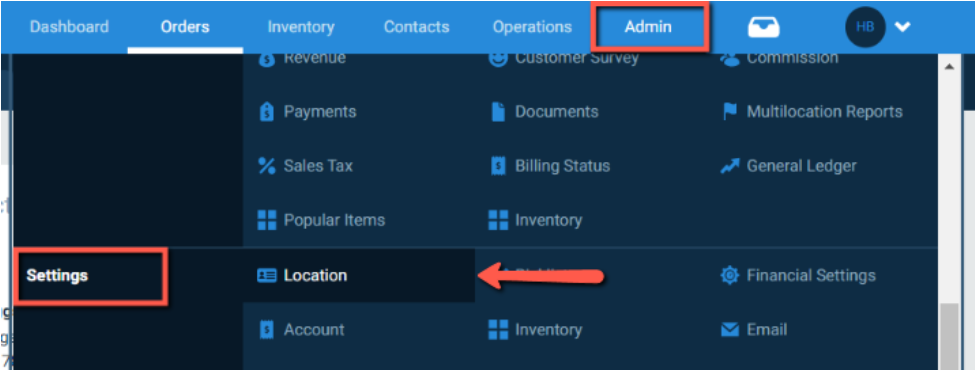
On the Location Settings page, users can customize the Business Information at any time.
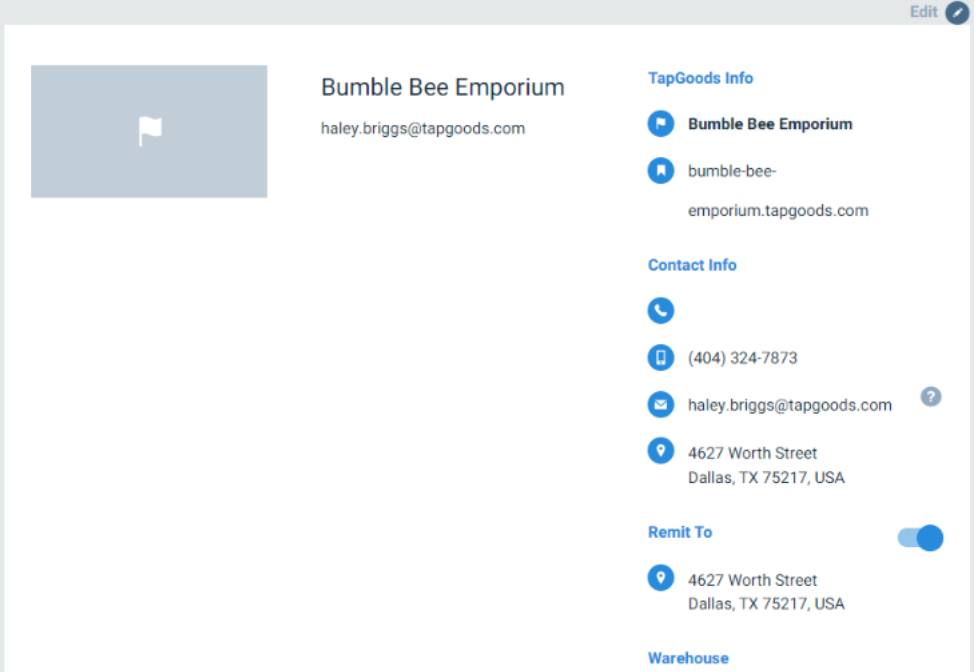
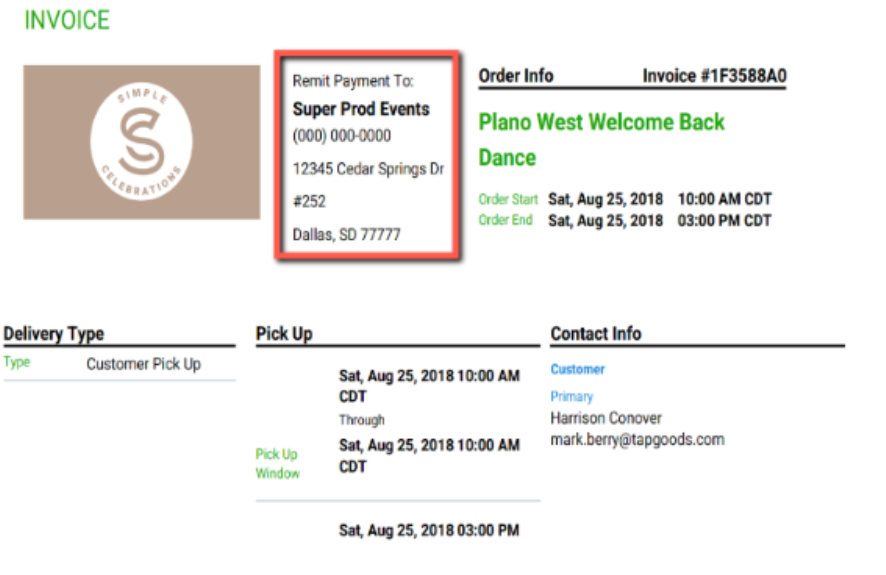
To add a separate Billing Address that customers can view on their Quote/Invoice, users will put the address into TapGoods PRO while editing the Business Information. Once the address has been saved to the platform, users will enable Remit To by clicking on the toggle. Once the Remit To address is in TapGoods, it will show up on the customer’s Quote/Invoice.
Related Articles